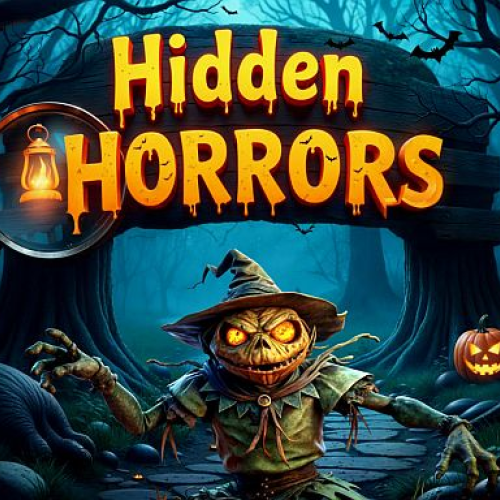
Hidden Horrors
Listed Under:
Hidden Horrors Game Controls:
Mouse
Hidden Horrors Review + Tips & Tricks by GplusGames.com:
Hidden Horrors
Get ready for a spooky search-and-find adventure in Hidden Horrors! This Halloween-themed hidden object game challenges you to explore colorful, creepy scenes and locate objects cleverly concealed among pumpkins, ghosts, bats, and other mysterious decorations. Keep your eyes open, because some items can be surprisingly difficult to spot!
With 30 levels to complete, Hidden Horrors offers plenty of opportunities to test your observation skills. Each level contains six hidden objects, and you must find them all before the timer runs out. Scan every corner, study the details, and see if you can uncover every item before time expires.
Whether you enjoy puzzle games, Halloween games, or classic hidden object challenges, Hidden Horrors is easy to learn and fun to play. If you get stuck searching for a particularly tricky object, you can use a hint to help you continue your adventure.
How to Play Hidden Horrors
Your goal is to find all six hidden objects in each Halloween-themed scene before the countdown reaches zero. Look carefully at the environment and compare what you see with the objects you need to find.
- Study the scene: Take a moment to look over the entire picture before searching for individual objects.
- Find the hidden items: Look for the objects requested in the level and click or tap each one when you spot it.
- Watch the timer: Keep searching efficiently so you can find all six objects before time runs out.
- Use hints: If an object is difficult to locate, use a hint to get help.
- Complete every level: Find all the required objects to finish the current scene and move forward.
Game Features
- 30 Halloween Levels: Explore a collection of spooky scenes filled with hidden items.
- Six Objects Per Level: Each stage challenges you to locate six specific objects.
- Colorful Halloween Artwork: Search through festive scenes featuring creepy decorations and mysterious details.
- Time-Based Challenges: Find everything before the countdown ends.
- Helpful Hint System: Get assistance when you cannot find a particular object.
- Simple Controls: Play using a mouse or touch controls on supported devices.
- Browser-Based Gameplay: Start playing online without needing to download a separate game.
Tips and Strategies
Search in an organized pattern. Instead of looking randomly around the screen, start in one corner and work your way across the scene. Move from top to bottom so you are less likely to overlook an object.
Pay attention to small details. Hidden objects can blend into the surrounding artwork. Look closely at shapes, colors, and outlines, especially around Halloween decorations and darker areas of the picture.
Check the whole scene. Do not focus on one area for too long. If you cannot find an object, move to another part of the screen and return to the difficult area later.
Keep an eye on the timer. You need to balance careful searching with speed. Avoid spending too much time on an item if you can continue looking elsewhere and come back to it.
Save hints for tricky searches. Try to find as many objects as possible on your own before using a hint. This lets you make the most of the assistance available when you really need it.
Controls
Desktop
- Mouse: Click on an object when you find it.
- Touchpad: Use the touchpad to move the pointer and select hidden objects.
Mobile
- Touchscreen: Tap the hidden objects to select them.
Why You'll Love Hidden Horrors
Hidden Horrors is a great choice for players who enjoy testing their attention to detail. Its straightforward gameplay makes it easy to start, while the time limit adds an extra challenge to every search. The Halloween theme gives each scene a playful spooky feel, making it a fitting game for the fall season or anytime you want a quick puzzle break.
With 30 levels to explore and six objects to discover in every scene, there is always another search waiting for you. Whether you are a hidden object expert or a newcomer to the genre, you can sharpen your visual skills as you work through the challenges.
Frequently Asked Questions
What is Hidden Horrors?
Hidden Horrors is a Halloween-themed hidden object puzzle game where you search illustrated scenes for specific items before time runs out.
How many levels are in Hidden Horrors?
The game features 30 levels, with six hidden objects to find in each level.
What happens if I cannot find an object?
You can use the game's hint feature for help when an object is difficult to locate.
Can I play Hidden Horrors on my phone?
Yes. Hidden Horrors supports mobile play on compatible devices, allowing you to search for objects using touchscreen controls.
Is Hidden Horrors difficult to learn?
No. The rules are simple: find the six required objects in each scene before time runs out. The challenge comes from spotting items that are cleverly hidden in the artwork.
Conclusion
Hidden Horrors combines classic hidden object gameplay with colorful Halloween scenes and a race against the clock. Search for pumpkins, spooky decorations, and other concealed items across 30 levels while improving your observation skills. Use hints when necessary, keep track of the timer, and see if you can find all six objects in every scene. Play Hidden Horrors online and put your hidden object skills to the test!
No Gameplay Yet — Watch Something Similar!
Gameplay, quick guides, and reviews recorded for GplusGames.com